This free Skincare Serum Flat-Lay AI Photo Prompt is ready to copy and paste into ChatGPT, Gemini or any AI image tool. A minimal pastel flat-lay for beauty brands and Instagram. Use the copy button, paste the prompt, set the ratio to 3:4, and generate.
Copy this prompt
Create an ultra-realistic, premium skincare serum flat-lay product photograph for a luxury beauty brand. Arrange an elegant glass serum bottle with a dropper cap as the main subject, placed carefully on a smooth beige or cream-colored surface. The bottle contains a golden, translucent facial serum with realistic liquid reflections and subtle highlights on the glass.
Surround the serum bottle with carefully arranged skincare-inspired elements, including fresh green leaves, delicate white flowers, a few transparent serum droplets, a small glass dish, natural stone accents, and a softly folded cream-colored towel. Keep the arrangement minimal, balanced, sophisticated, and visually pleasing, ensuring the serum bottle remains the clear focal point.
Use soft natural window light coming from the upper left, creating gentle shadows, beautiful glass reflections, and a clean, fresh atmosphere. Add subtle highlights along the edges of the bottle and realistic refraction through the transparent glass. The serum should look silky, luxurious, and premium without appearing artificially thick or exaggerated.
The overall color palette features warm ivory, beige, soft white, muted sage green, and subtle golden tones. The background is clean and uncluttered, with a refined luxury skincare campaign aesthetic.
Professional commercial product photography, overhead 90-degree flat-lay composition, premium beauty advertising, realistic glass material, detailed dropper, accurate liquid transparency, natural shadows, soft diffused lighting, high-end editorial styling, crisp focus, balanced negative space, photorealistic textures, natural color grading, ultra-detailed, 4K quality.
PRODUCT PRESERVATION: If a reference product image is provided, preserve the exact bottle shape, cap design, packaging colors, label placement, and brand identity. Keep any existing label text accurate and legible. Do not invent additional branding or change the packaging.
COMPOSITION: Vertical 4:5 aspect ratio, overhead flat-lay shot, serum bottle positioned near the center, accessories arranged naturally around the edges, premium commercial composition suitable for Instagram, e-commerce, and beauty brand campaigns. No additional text, no extra logos, no watermark.
How to use this prompt
Press Copy prompt.
Open ChatGPT, Gemini or any AI image tool and paste it. To use a real face, upload a clear reference photo of someone who has agreed to it.
Choose the 3:4 ratio, generate, then change one detail at a time until you like it.
It is written to work in most modern AI generators. Results differ by tool, so try the same prompt in two tools and keep the better result.
How do I change this prompt without breaking it?
Change one detail at a time, such as the outfit, the location or the time of day. AI cannot write clean label text yet. Generate the photo first, then add your real label in an editor.
Can I use the result commercially?
The prompt is free to use. Whether you can use the generated result commercially depends on the terms of the AI tool you use, so check them first.
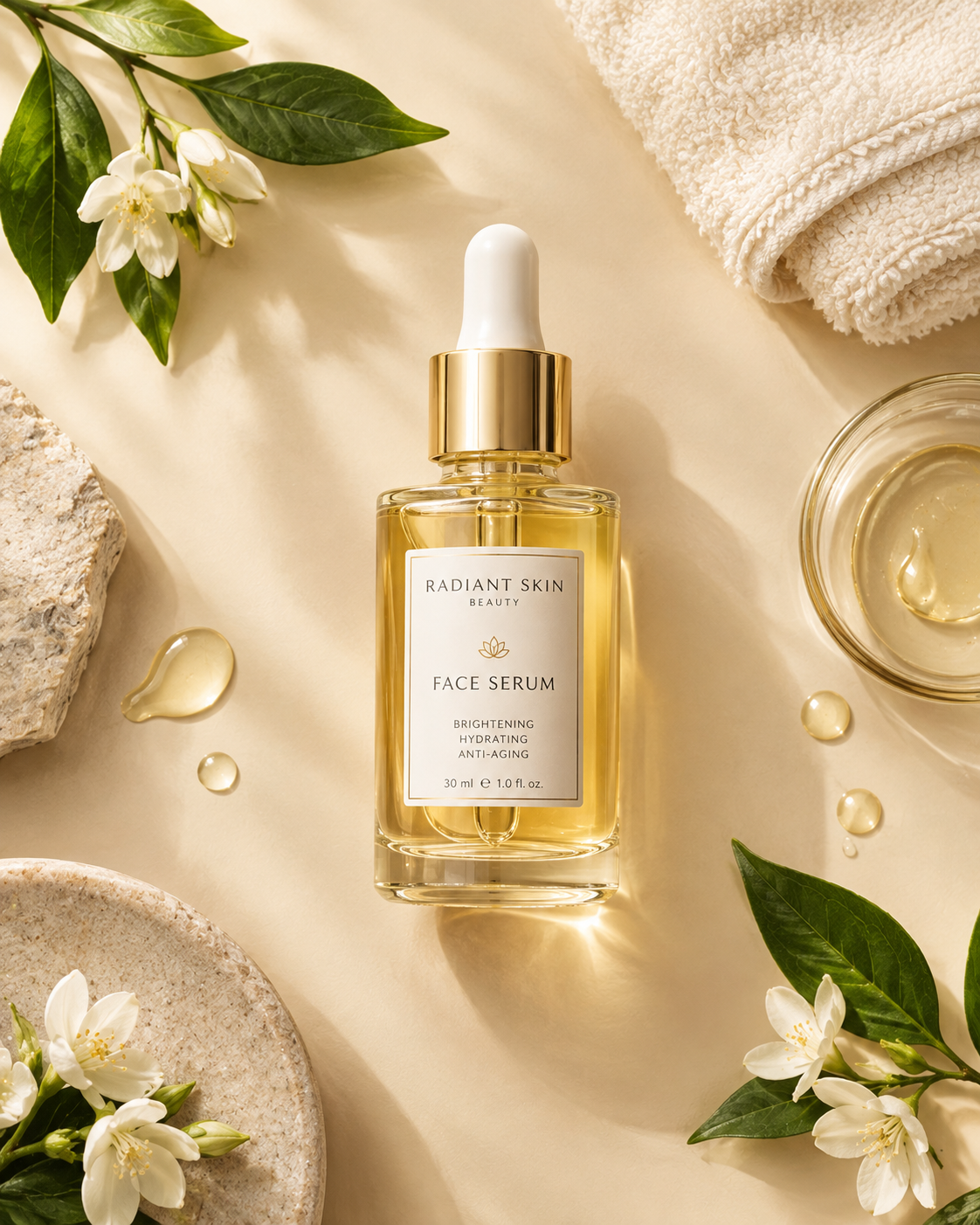
 Photo3:4