This free Kulhad Chai Product Shot AI Photo Prompt is ready to copy and paste into ChatGPT, Gemini or any AI image tool. A premium product photo of masala chai in a clay kulhad. Use the copy button, paste the prompt, set the ratio to 3:4, and generate.
Copy this prompt
Create an ultra-realistic, premium product photograph of authentic Indian masala chai served in a traditional handmade terracotta clay kulhad. The kulhad is placed on a rustic wooden table, filled with freshly brewed golden-brown chai, with delicate natural steam rising gracefully from the hot tea. The clay cup features realistic earthy textures, tiny imperfections, and a handcrafted appearance.
Soft, warm morning sunlight enters from the side, creating beautiful highlights on the chai and gentle shadows beneath the kulhad. Add subtle Indian tea-stall elements in the background, such as a blurred brass kettle, scattered tea leaves, cardamom pods, ginger slices, and a few cinnamon sticks. Keep the background minimal, elegant, and softly blurred to ensure the kulhad remains the main subject.
Capture the rich color of the chai, the porous texture of the terracotta, and the delicate steam in stunning detail. Premium commercial beverage photography, authentic Indian street chai aesthetic, cinematic warm color grading, natural lighting, shallow depth of field, creamy bokeh, 85mm lens, f/2.8 aperture, professional studio-quality composition, sharp focus on the kulhad, realistic reflections, balanced contrast, photorealistic textures, luxury food advertising, 8K detail, vertical 4:5 composition.
The final image should look like a real photograph taken by a professional food photographer, not a digital illustration or CGI render. No text, no logos, no watermark.
How to use this prompt
Press Copy prompt.
Open ChatGPT, Gemini or any AI image tool and paste it. To use a real face, upload a clear reference photo of someone who has agreed to it.
Choose the 3:4 ratio, generate, then change one detail at a time until you like it.
It is written to work in most modern AI generators. Results differ by tool, so try the same prompt in two tools and keep the better result.
How do I change this prompt without breaking it?
Change one detail at a time, such as the outfit, the location or the time of day. The empty space line is useful for posters and menu cards. Add your text later in any design app.
Can I use the result commercially?
The prompt is free to use. Whether you can use the generated result commercially depends on the terms of the AI tool you use, so check them first.
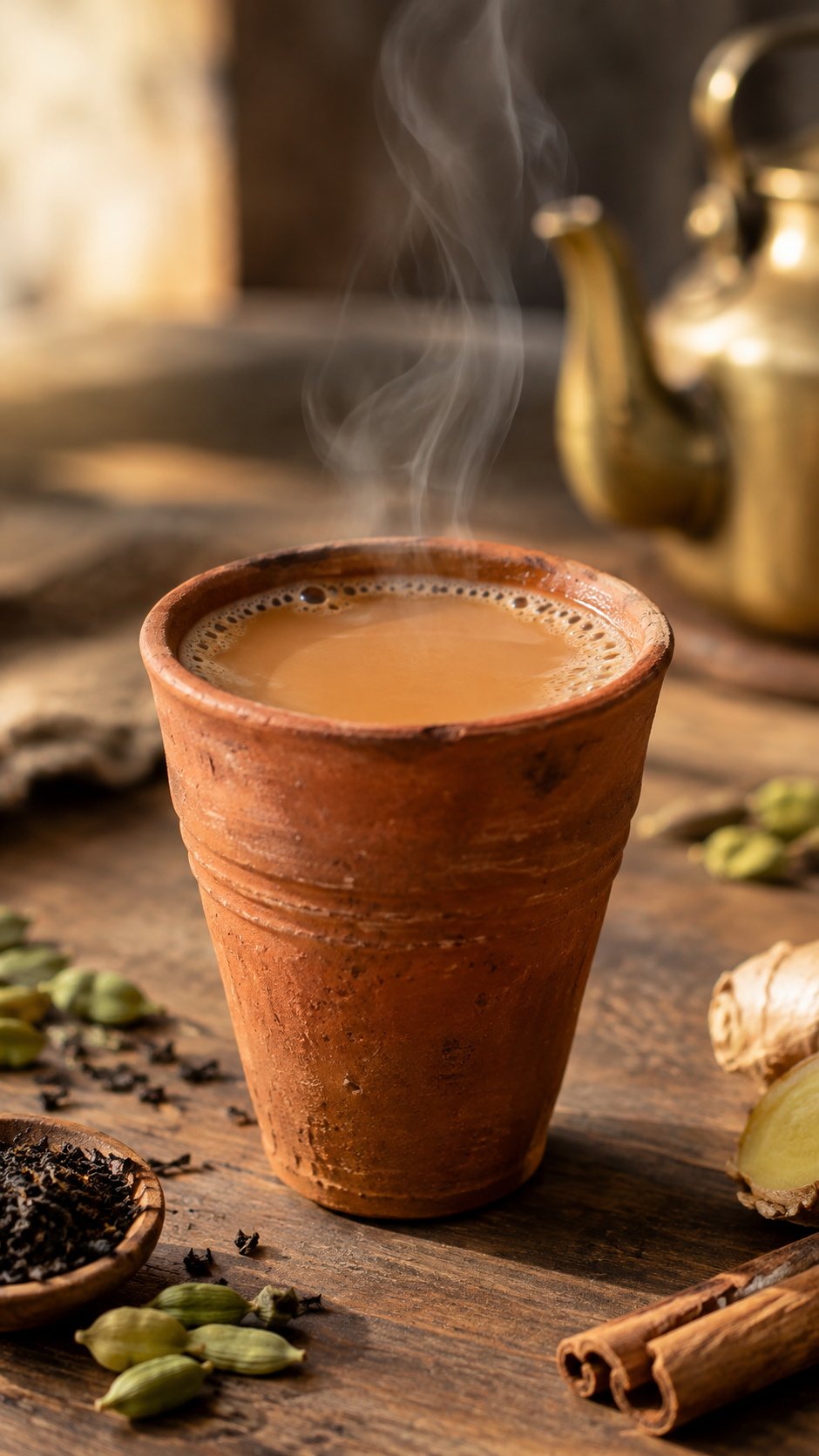
 Photo3:4