This free Retro 80s Street Portrait AI Photo Prompt is ready to copy and paste into ChatGPT, Gemini or any AI image tool. A nostalgic film-look portrait beside a vintage scooter. Use the copy button, paste the prompt, set the ratio to 3:4, and generate.
Copy this prompt
Create an ultra-realistic retro 1980s street portrait of a stylish young adult standing casually on a lively urban street, capturing the authentic fashion, mood, and atmosphere of the 1980s. The subject has a confident yet relaxed expression, a natural candid pose, and an effortlessly cool vintage personality.
The subject wears authentic 80s-inspired fashion: a slightly oversized vintage denim jacket or leather jacket, a tucked-in graphic T-shirt, high-waisted straight-leg jeans, retro sneakers, and classic vintage sunglasses. Add subtle period-appropriate accessories, natural hairstyle volume, and realistic clothing textures to complete the nostalgic look.
The setting features an old city street with vintage storefronts, weathered walls, classic cars from the 1980s, old signboards, analog street details, and warm afternoon sunlight. The background feels authentic to the era, with muted architectural colors and subtle urban character.
Photograph the subject in a spontaneous street-style pose, slightly turning toward the camera with a calm, confident expression. Use natural sunlight, soft shadows, warm highlights, slightly faded colors, subtle analog film grain, gentle halation, and authentic 35mm film characteristics.
Shot on a vintage 35mm film camera, 50mm prime lens, f/2.0 aperture, shallow depth of field, realistic skin pores, natural facial details, lifelike hands, authentic vintage color grading, muted teal shadows, warm amber highlights, subtle imperfections, cinematic composition, editorial street photography, timeless nostalgic atmosphere, photorealistic, high detail, 4K quality.
FACE IDENTITY PRESERVATION: If a reference image is provided, preserve the person's recognizable facial identity, face shape, skin tone, eye shape, and distinctive features. Keep the face natural and realistic without unnecessary beautification or identity changes.
COMPOSITION: Vertical 4:5 portrait, waist-up or three-quarter framing, subject in sharp focus, naturally blurred vintage street background, authentic 1980s styling, realistic photographic perspective.
The final image should look like a genuine photograph taken on 35mm film in the 1980s, not a modern digital image with an artificial retro filter. No text, no logos, no watermark.
How to use this prompt
Press Copy prompt.
Open ChatGPT, Gemini or any AI image tool and paste it. To use a real face, upload a clear reference photo of someone who has agreed to it.
Choose the 3:4 ratio, generate, then change one detail at a time until you like it.
Add 'Kodak-style warm tones' wording only if your tool allows it. Otherwise 'faded film colors' is enough.
Negative prompt
If your tool has a negative prompt field, paste this to avoid common problems.
cartoon, anime, illustration, painting, CGI, 3D render, futuristic fashion, modern smartphones, contemporary cars, modern LED billboards, modern streetwear, futuristic architecture, artificial retro filter, excessive sepia, exaggerated orange tint, oversaturated colors, excessive film grain, extreme scratches, damaged film, heavy blur, excessive vignette, unrealistic lighting, plastic skin, waxy face, excessive skin smoothing, beauty filter, artificial facial features, changed identity, different person, distorted face, asymmetrical eyes, crossed eyes, unnatural expression, deformed hands, extra fingers, missing fingers, extra limbs, malformed anatomy, distorted clothing, unrealistic denim texture, floating accessories, warped sunglasses, incorrect shadows, distorted perspective, duplicate subjects, blurry face, out of focus subject, motion blur, low resolution, pixelation, digital artifacts, excessive sharpening, HDR effect, artificial background, watermark, logo, text, border, frame.
Frequently asked questions
Which AI tool works best for this prompt?
It is written to work in most modern AI generators. Results differ by tool, so try the same prompt in two tools and keep the better result.
How do I change this prompt without breaking it?
Change one detail at a time, such as the outfit, the location or the time of day. Add 'Kodak-style warm tones' wording only if your tool allows it. Otherwise 'faded film colors' is enough.
Can I use the result commercially?
The prompt is free to use. Whether you can use the generated result commercially depends on the terms of the AI tool you use, so check them first.
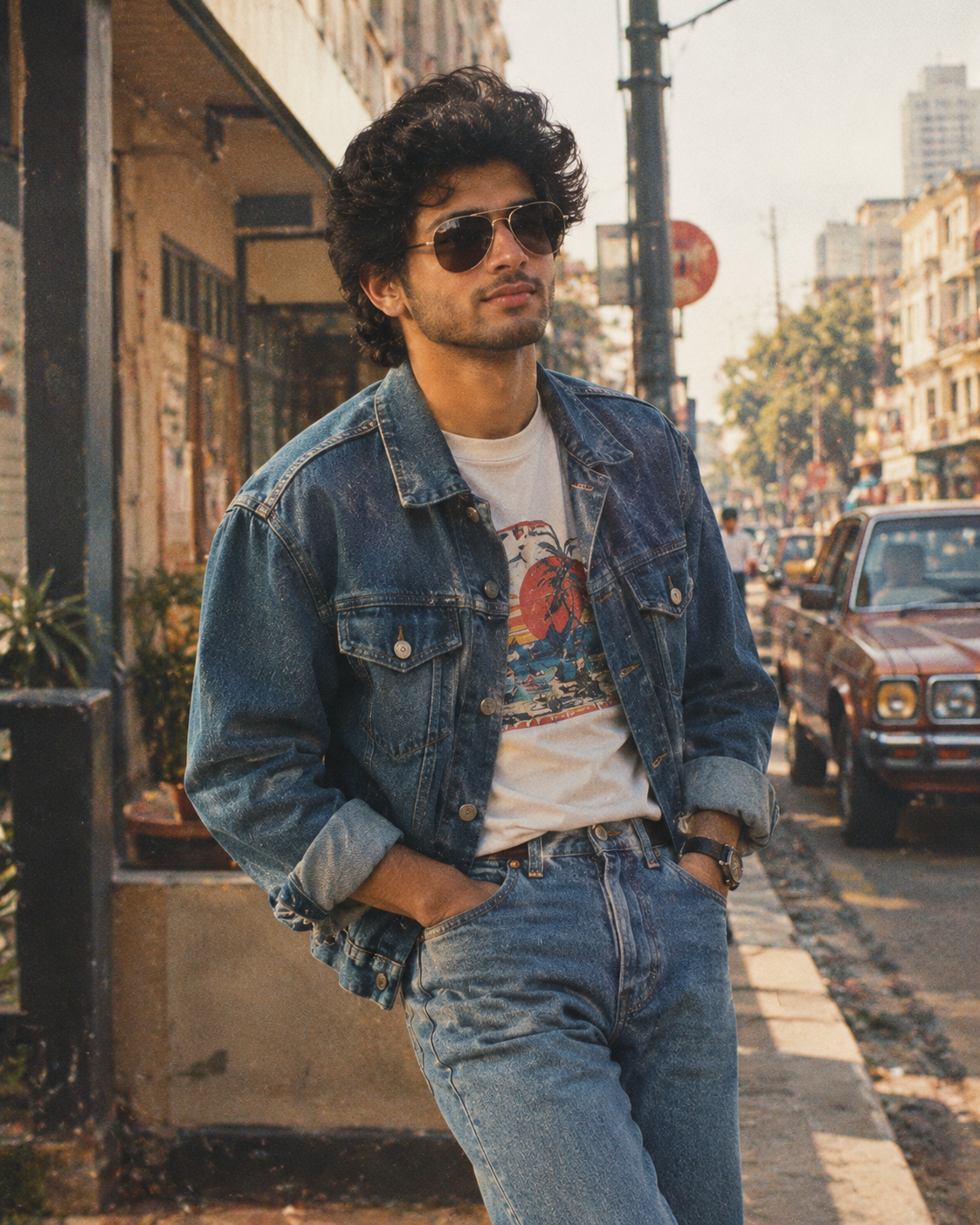
 Photo3:4